
AI workflow for faster 3D model creation
Nika AI helps engineers, designers and 3D specialists move from an idea, text prompt, photo or sketch to a base 3D model — then refine it and prepare it for CAD work.
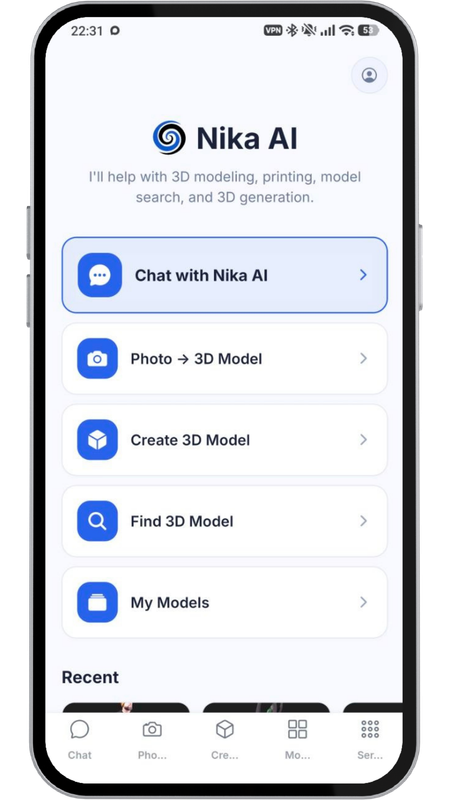
From start screen to CAD refinement
The product is built around a simple user path: open Nika AI, describe the task or upload a reference, generate a base model, then refine it for CAD and production.
Start with Nika AI
Open the product, choose the needed tool and start a new 3D generation task.
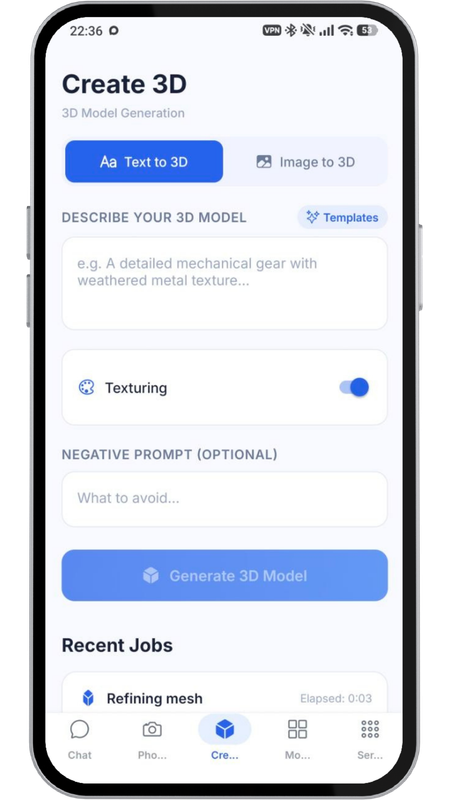
Enter text or upload photo
Describe the object, attach a photo, sketch or reference and clarify the required geometry.
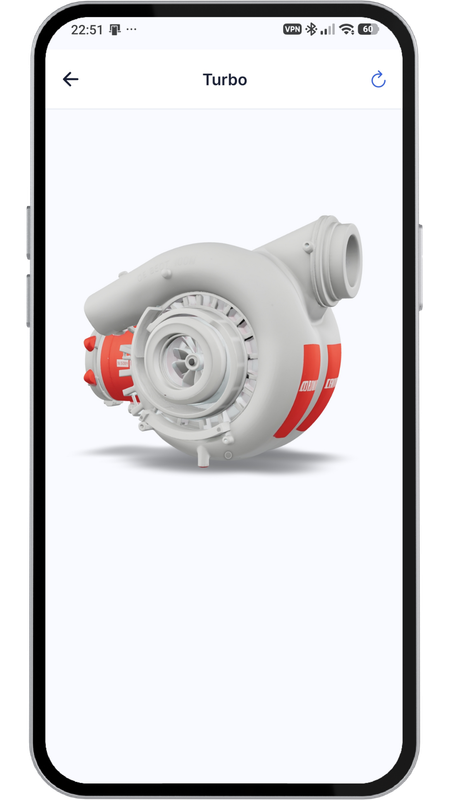
Generate a base model
Nika AI creates the first version of the 3D model that can be reviewed and improved.

Refine and send to CAD
The model can be finalized by an engineer and prepared for CAD work, 3D printing or production.
What Nika AI can do inside the product
The landing should present Nika AI as a practical product: not only a generator, but a working assistant for the first stage of 3D engineering tasks.
Generate 3D models from text
The user describes an object in natural language and receives a base 3D model that can be checked, refined and developed further.
Generate from photo or sketch
Nika AI can use visual references to create initial geometry, helping users start from real objects, ideas or sketches.
Create a base for CAD work
The generated model is the first engineering draft: a starting point for dimensions, validation and professional CAD refinement.
Chat with Nika AI
Users can ask questions about 3D modeling, 3D printing, files, materials, workflows and production logic directly in the assistant.
Find and reuse 3D models
The product can connect users with ready-made models and help reduce repeated work when similar geometry already exists.
Save and manage generated models
Users can return to their generated models, compare versions and continue work inside the Teleport3D ecosystem.
Nika AI is also a 3D engineering consultant
The chat interface helps users move through uncertainty: what file format to use, how to prepare a model, which material to choose, how to approach 3D printing or CAD refinement.

Not a replacement for engineers — a faster start for them
Nika AI creates a first version. The engineer keeps control: checks geometry, sets dimensions, improves topology and prepares the model for real work.
Where Nika AI is useful
The product is designed for people who need to create, test or explain 3D ideas faster — before full professional modeling begins.
Try the product workflow in Nika AI
Open the Telegram bot, describe the object or upload a reference, generate a base model and continue the work with CAD refinement.